

kyle173
Legacy Donating Member
-
Joined
-
Last visited
-
Any updates on these? I beleive my CV shafts are starting to die. Get a weird tinging noise and occasional grind feeling coming from the back of the car.
-
nice, I have to clean my bottle out today something has died in it.
-
Will there be enough room in there to fit this behind the bigger coolers?
-
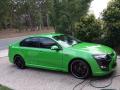
FG F6 Build No.100 dash green leather interior
-
-
Nice, I Hate where the power steering reservoir sits. I have sueded the A pillars will get a photo and post later. Most mods are on hold till we purchase the Trackhawk in the new year.
-
all bolt ons stock turbo 98 was 388rwkw E85 went to 420RWKW stock oil pump no head studs. CV, Diff and transmission will be the first things that die.
-
I may call him monday for a little upgrade on the F6 breaks cant stand looking at the rear PBR break
-
its of to peckys to get a service and a road worthy tomorrow
-
ill had to find a tuner up in Darwin too for the F6 not to mention the ZF is on its last legs.
-
what was wrong with it broken?
-
yeah I am in, that screen looks the goods and brings it up to nearly the same quality of tech as my Ford Ranger.
-
-
Do you have gauges up top? Would you recommend it over a mk2 screen?
-
Hoping it does, quite a few good transmission builders around now but it is expensive.

