Skip to content
View in the app

A better way to browse. Learn more.

Ford XR6 Turbo.com

A full-screen app on your home screen with push notifications, badges and more.

To install this app on iOS and iPadOS
  1. Tap the Share icon in Safari
  2. Scroll the menu and tap Add to Home Screen.
  3. Tap Add in the top-right corner.
To install this app on Android
  1. Tap the 3-dot menu (⋮) in the top-right corner of the browser.
  2. Tap Add to Home screen or Install app.
  3. Confirm by tapping Install.

Fpv Force 6 Build Number List
Featured Replies

#71

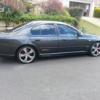
hi all, just bought "force 056". just thought id say shes still alive and looking good as ever!

Edited by b still

  • Replies 89
  • Views 31.4k
  • Created
  • Last Reply

Top Posters In This Topic

Most Popular Posts

  • Ralph Wiggum
    Ralph Wiggum

    No Paint All Day Erry Day

  • I've got build number 43. Black with red leather interior. No other options. Just over 75k on the clock

  • Im the same ill never sell mine #30 2006 11.1 @ 131 on the 19's so far  

Posted Images

#72

Pics bro. :useless:

#73

Didnt 056 get written off....

#74

I hope not...its registered and was traded into car yard when I was there shopping so jumped onto it straight away... its amazing to drive.. ive got photos but dont know how to upload.. roof lining was replaced today and ill pick her up tomorrow

#76

awesome!! thanks for the link!


eyca3JK.jpg78LgOhk.jpgP1NVO4z.jpg5pVBJrJ.jpg

#77

That's Keiths favourite link. I'm sure he has been missing posting it :stirthepot:

#79

Cheers, Puff, it is one of my favourites, in terms of quantity of uses and usefulness. 


Looks like a great purchase, mate! :icon_ford:


A quality bunch of engine mods, beautifully presented vehicle with wheels etc and a beastly sound system :wow2:

#80

Yeah dem mods doe. That should pull the skin off a rice pudding.


Edit: Start tightening hotside sh*t ;)

Edited by Puffwagon
Just cos

Create an account or sign in to comment

Recently Browsing 0

  • No registered users viewing this page.

Account

Navigation

Search

Search

Configure browser push notifications

Chrome (Android)
  1. Tap the lock icon next to the address bar.
  2. Tap Permissions → Notifications.
  3. Adjust your preference.
Chrome (Desktop)
  1. Click the padlock icon in the address bar.
  2. Select Site settings.
  3. Find Notifications and adjust your preference.