Skip to content
View in the app

A better way to browse. Learn more.

Ford XR6 Turbo.com

A full-screen app on your home screen with push notifications, badges and more.

To install this app on iOS and iPadOS
  1. Tap the Share icon in Safari
  2. Scroll the menu and tap Add to Home Screen.
  3. Tap Add in the top-right corner.
To install this app on Android
  1. Tap the 3-dot menu (⋮) in the top-right corner of the browser.
  2. Tap Add to Home screen or Install app.
  3. Confirm by tapping Install.

Show Us Your Custom Forged Wheels
Featured Replies

#141

Looks Great Paul..

  • Replies 146
  • Views 24.7k
  • Created
  • Last Reply

Top Posters In This Topic

Most Popular Posts

  • Thanks again for the positive comments guys. As a quick update, I was stoked to receive a phone call from Street Fords magazine last week, they're interested in doing a feature on the car. Shoot is

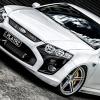
  • After a few delays finally got my wheels fitted today. A few quick snaps of the final result. Will update with some better pics soon.

  • Few shots I took on the weekend. Thought I'd share.

#142

Wow! I did not personally like this cars look with the old wheels. But mate! That is perfect now. Well done!

#143

Thanks Paul.

Portuguese?

  • 2 months later...
#145
  • Author

For those of you that were interested, the car was published in Street Fords issue 117 (on sale 25/12/13), it even scored the centerfold. Really pleased with that.

SF-FGF6-CF_zpsabfeea24.jpg

SF-FGF6-02_zps3a22dbdf.jpg

SF-FGF6-03_zps5a840bc5.jpg

SF-FGF6-04_zpsbfb96a8a.jpg

SF-FGF6-05_zps3a9821bc.jpg

#146

Show off!!!

That's awesome mate gotta be happy with that. Good pic and good story to match.

Well Done!!

#147

got the magazine yesterday and saw the photos of your car and all I can say is what a fantastic looking car

everything on it works together as a package and nothing looks like an after thought like so many others that you see

its one thing I aiming for with my car, is make it a package rather then bits and pieces bolted onto a car!

Create an account or sign in to comment

Recently Browsing 0

  • No registered users viewing this page.

Account

Navigation

Search

Search

Configure browser push notifications

Chrome (Android)
  1. Tap the lock icon next to the address bar.
  2. Tap Permissions → Notifications.
  3. Adjust your preference.
Chrome (Desktop)
  1. Click the padlock icon in the address bar.
  2. Select Site settings.
  3. Find Notifications and adjust your preference.