Skip to content
View in the app

A better way to browse. Learn more.

Ford XR6 Turbo.com

A full-screen app on your home screen with push notifications, badges and more.

To install this app on iOS and iPadOS
  1. Tap the Share icon in Safari
  2. Scroll the menu and tap Add to Home Screen.
  3. Tap Add in the top-right corner.
To install this app on Android
  1. Tap the 3-dot menu (⋮) in the top-right corner of the browser.
  2. Tap Add to Home screen or Install app.
  3. Confirm by tapping Install.

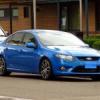
Fg Xr6 Turbo Chasers
Featured Replies

  • Replies 74
  • Views 9.6k
  • Created
  • Last Reply

Top Posters In This Topic

#2

been crankin these out for months, figured they'd have made their way into service by now.

#3

They scored the brembo's because the standard jobbers failed the brake testing.

And im guessing the FPV wheels so they wil clear the bigger brakes.

#4

Hrmmm, Chasers might be a good buy in a couple of years then.

#5

Think they are only 4 potters Dillz - be better off buying a stocker and getting 6/4 combo..... prolly end up cheaper too.

#6

I'd rather have Allan Moffat's Bathhurst winning GT coupe in the back ground.

Why is it there, is it impounded?

#7

lol - I saw that too!

mighty looking coupe that one.

#8

Whats next a custom tune hahahahaha!

#9

Spotted a FG Phoon on Castle Hill Rd last week. Unmarked with the clear lensed LED's which flashed the pretty blue and red.

I pity he who trys to pick a run with that falcon! Get beat, then pulled over!

#10

Saw a green one cruising along Spit rd, Mosmon last Saturday night. You can spot the little lights mounted around the number plate, and the 3 different aerials mounted on the back window. Spotted a g6e Turbo in city other day with 2 detectives in it, was pretty surprising.

Guest
This topic is now closed to further replies.

Recently Browsing 0

  • No registered users viewing this page.

Account

Navigation

Search

Search

Configure browser push notifications

Chrome (Android)
  1. Tap the lock icon next to the address bar.
  2. Tap Permissions → Notifications.
  3. Adjust your preference.
Chrome (Desktop)
  1. Click the padlock icon in the address bar.
  2. Select Site settings.
  3. Find Notifications and adjust your preference.