11/05/12 02:02 AM11/05/12 02:02 AM #21 Lol I only said that as he no longer has the car. He's moving onto bigger and better things out of a T Funnily enough those were the other rims I was thinking of haha. White accents is a good idea. Something different!
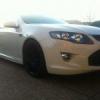
20/05/12 08:42 AM20/05/12 08:42 AM #22 Author gday guys.. spent the most of the day cleaning my new toy. Give it a wash, clay bar, another wash then a polish and I think she's come up a treat..
20/05/12 08:57 AM20/05/12 08:57 AM #23 That does look good!Would look fantastic with the xr8 bonnet..
20/05/12 08:59 AM20/05/12 08:59 AM #24 bloody nice, if I ever change cars it will be for a fpv-e and make it the ultimate sleeper
20/05/12 09:34 AM20/05/12 09:34 AM #25 Author Cheers lads.Haven't really thought about an xr8 bonnet. Just had a look at the FPV website.. it does look good on the GT-E.The end plan is to make it into a sleeper and I think the mods will be starting sooner than I thought.
20/05/12 11:26 AM20/05/12 11:26 AM #28 Looks awesome mate! Always preferred the colour coded front bar.
20/05/12 12:19 PM20/05/12 12:19 PM #29 nice one stiflr, love it soo tuff black on white car.how do you go with the plates? get many comments?
20/05/12 06:43 PM20/05/12 06:43 PM #30 Always preferred the colour coded front bar.funny you say that because looking at the white on this f6e I was just thinking it doesnt look right without them.the colour coded bars look better in some of the darker colours but not so much in white.


Create an account or sign in to comment