Skip to content
View in the app

A better way to browse. Learn more.

Ford XR6 Turbo.com

A full-screen app on your home screen with push notifications, badges and more.

To install this app on iOS and iPadOS
  1. Tap the Share icon in Safari
  2. Scroll the menu and tap Add to Home Screen.
  3. Tap Add in the top-right corner.
To install this app on Android
  1. Tap the 3-dot menu (⋮) in the top-right corner of the browser.
  2. Tap Add to Home screen or Install app.
  3. Confirm by tapping Install.

It's Finally Here! :)

Featured Replies

#61

P.S. Anchorman is awesome but I do love him playing Chaz in Wedding Crashers.

Mum... meatloaf....... F*ck

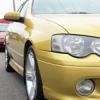
back on topic- nice car, not many getting around in that colour

  • Replies 64
  • Views 5.2k
  • Created
  • Last Reply

Top Posters In This Topic

Most Popular Posts

#62

Haha! Too big to fit in one shot, I'd have to do a panarama pic in both length, height and width! :P

iam sure most of us have twin screens lol

#63
  • Author

Haha. It's all fun and games until someone flashes a boob. :cool1:

#64

Hahahaha omg I jst relized your a chick lol sorry still a mad car

#65
  • Author

Haha. It's all good. I think any girl who's into cars has a certain expectation to be referred to as a male until known well.

As for the car 'still' being mad. Haha. I would hope that my gender doesn't change the opinion on that. :P

Create an account or sign in to comment

Recently Browsing 0

  • No registered users viewing this page.

Account

Navigation

Search

Search

Configure browser push notifications

Chrome (Android)
  1. Tap the lock icon next to the address bar.
  2. Tap Permissions → Notifications.
  3. Adjust your preference.
Chrome (Desktop)
  1. Click the padlock icon in the address bar.
  2. Select Site settings.
  3. Find Notifications and adjust your preference.