Skip to content
View in the app

A better way to browse. Learn more.

Ford XR6 Turbo.com

A full-screen app on your home screen with push notifications, badges and more.

To install this app on iOS and iPadOS
  1. Tap the Share icon in Safari
  2. Scroll the menu and tap Add to Home Screen.
  3. Tap Add in the top-right corner.
To install this app on Android
  1. Tap the 3-dot menu (⋮) in the top-right corner of the browser.
  2. Tap Add to Home screen or Install app.
  3. Confirm by tapping Install.

It's Finally Here! :)

Featured Replies

#11

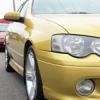
Nice car. Looks pretty good for 5 years old.

  • Replies 64
  • Views 5.2k
  • Created
  • Last Reply

Top Posters In This Topic

Most Popular Posts

#12
Nice car. Looks pretty good for 5 years old.

What year are you living in? Haha

Extremely clean looking car though , congrats! :)

#13
Nice car. Looks pretty good for 5 years old 2 years ago.

Fixed

#14
  • Author

Thanks everyone. :)

#15

Lol, yeah, I had a mind blank. I just thought "looks pretty good for a 5 year old car" and wrote it, haha :P

#16

Faaark manuel to that's mad bro good stuff very nice

#17

Hahaha fly she's no bro

#18

Nice.

time to change your heading *beep*...

seems all the girls drive stick these days.

and nice one on your new car MAXout :spoton:

bout time you booked it in at pitlane me thinks

Edited by STAINOnegger

#19
  • Author

Haha! I am easily persuaded, but I'm trying not to get tempted for mods. :P

Edited by MAXout

#20
  • Author

Hahaha fly she's no bro

Haha! Aww, I can be everyone's bro! :D

Create an account or sign in to comment

Recently Browsing 0

  • No registered users viewing this page.

Account

Navigation

Search

Search

Configure browser push notifications

Chrome (Android)
  1. Tap the lock icon next to the address bar.
  2. Tap Permissions → Notifications.
  3. Adjust your preference.
Chrome (Desktop)
  1. Click the padlock icon in the address bar.
  2. Select Site settings.
  3. Find Notifications and adjust your preference.