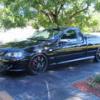
04/02/12 11:54 PM04/02/12 11:54 PM #331 Author Now that's how the stable should lookNot quiet same the same size as the ute but it will do for now
05/02/12 02:47 AM05/02/12 02:47 AM #334 Author We r ahead of the game out here with our levy bank lol
28/08/12 07:41 AM28/08/12 07:41 AM #335 Author Well I have a bit of a problem . Has anyone had or heard of the welsh plug corroding out in a Bf or Ba by any chance . My has right under the turbo side manifold ?
28/08/12 07:44 AM28/08/12 07:44 AM #336 Has happened to 1 other car I know off, Brods's ute I believe
28/08/12 08:11 AM28/08/12 08:11 AM #337 Pretty common but only on 80k plus in my experienceSent from my T01A using Tapatalk 2
28/08/12 08:11 AM28/08/12 08:11 AM #338 Author Did they say what was the cause was ? Or it was just one of those things .
12/01/13 11:24 PM12/01/13 11:24 PM #339 Author Wells it's been awhile since I have posted. As u can see the ute has been the last thing on my mind lol. 6 months since it has moved . So it's time to get it fix n add the parts that have sat in my shed for over a year now .


Create an account or sign in to comment