20/08/11 01:58 AM20/08/11 01:58 AM #311 Author It should be fine on the dyno. But if it breaks u can fix it afterwards lol
20/08/11 02:03 AM20/08/11 02:03 AM #312 I found that out the hard way, decided to try out some semi slicks and launch it with boost off the line.... and now I am lacking drive to the wheels lesson learnt haha
18/11/11 11:11 PM18/11/11 11:11 PM #316 about time ya did something/anything I thought you were goin completely soft. Hurry up & get that leaf sprung paddock basher back to a dyno & turn it up already & stop driving it around like ya would if you were carrying miss daisy lol
19/11/11 12:31 AM19/11/11 12:31 AM #317 Author Nah still soft that was my Bday present from mum. Cause she loves me lol
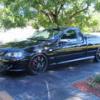
21/11/11 05:23 AM21/11/11 05:23 AM #319 man asif your ute wouldnt make the front cover... there always puttin the old stuff on the cover. Change the paint on a vr, move the rear vision mirrors and chuck on some chromies and bang, you have a cover car.Awesome ute I can't imagine what this would be like to drive. Any videos of skids or incar footage of it boosting? would love to see that
21/11/11 05:32 AM21/11/11 05:32 AM #320 Author Yer was a bit devo that it didnt get a better spotIm to sensible to do stuff like that now


Create an account or sign in to comment