Skip to content
View in the app

A better way to browse. Learn more.

Ford XR6 Turbo.com

A full-screen app on your home screen with push notifications, badges and more.

To install this app on iOS and iPadOS
  1. Tap the Share icon in Safari
  2. Scroll the menu and tap Add to Home Screen.
  3. Tap Add in the top-right corner.
To install this app on Android
  1. Tap the 3-dot menu (⋮) in the top-right corner of the browser.
  2. Tap Add to Home screen or Install app.
  3. Confirm by tapping Install.

New Toy

Featured Replies

#21
  • Author

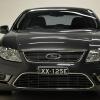
Yeh I will hold, as much as I dnt want to haha, few g's, got a pic bellow! post-76680-139279641304_thumb.jpg

  • Replies 57
  • Views 6.4k
  • Created
  • Last Reply

Top Posters In This Topic

Most Popular Posts

  • Hold off mate it'll be worth it

  • And you know what they say about black.. actually sorta the same with coolers aswell

  • Hey mate, I'm getting stage 1 tune plus injectors and cat from mt on Saturday. I'm not quite sure what gains I can expect, but I'll be sure to post the results on here. I can say that robs a very prof

Posted Images

#23
  • Author

Wow that would be killa, wish I had the funds to do that, gonna take me few months to hit up a stage 2, if all goes well

#25

banks got heaps of money:D

Are you suggesting we rob one then? ;)
#26

We all have quick getaway cars

#27

a loans a lot easier. but I guess a robbery has no interest. but if you get caught... na fark that. a loan:lol:

#28
  • Author

I already own them bastards enough haha, will I get good bov sound and turbo sound after stage two?

#29

You can vent it to atmos instead of having it as a plumb back setup. Gives you a "pshhh" sound.

#30

welcome bro

FYI - watch out for bendoco and Biz nothing but trouble...............lol

Create an account or sign in to comment

Recently Browsing 0

  • No registered users viewing this page.

Account

Navigation

Search

Search

Configure browser push notifications

Chrome (Android)
  1. Tap the lock icon next to the address bar.
  2. Tap Permissions → Notifications.
  3. Adjust your preference.
Chrome (Desktop)
  1. Click the padlock icon in the address bar.
  2. Select Site settings.
  3. Find Notifications and adjust your preference.