Skip to content
View in the app

A better way to browse. Learn more.

Ford XR6 Turbo.com

A full-screen app on your home screen with push notifications, badges and more.

To install this app on iOS and iPadOS
  1. Tap the Share icon in Safari
  2. Scroll the menu and tap Add to Home Screen.
  3. Tap Add in the top-right corner.
To install this app on Android
  1. Tap the 3-dot menu (⋮) in the top-right corner of the browser.
  2. Tap Add to Home screen or Install app.
  3. Confirm by tapping Install.

Clever Rego Plate - Numberplate.
Featured Replies

#661

LOL..... I'm after number plate ideas like the thread suggests.

and Worm....... that was f*ckin gold mate

  • Replies 883
  • Views 87.4k
  • Created
  • Last Reply

Top Posters In This Topic

Most Popular Posts

Posted Images

#662

old SAGgy nuts must of had to go and change his nappy or take a sarapax

Now, now, it was Australia Day, and the missus and I were meeting up with friends for dinner down at the Yacht Club.

The following are available in Queensland:

TOORBO

FAST6T

PURFUN

GR8KAR

and then of course, the one I deem most appropriate: "hey LUKAME".

#663

:spit:

Where's all the love gone?

#664

My mate in Vic is selling SXCXR if anyones interested pm me

#665

look at my sig. ;);););)

#666

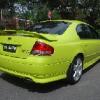
How about SMURF6

ee75c88b.jpg

#667

Smurf, your ute looks great :buttrock:

#668

Got my new plates what do you think? :3gears:

post-14268-0-32620700-1297388945_thumb.j

post-14268-0-37438000-1297388960_thumb.j

Edited by louiseanddanny

  • 1 month later...
#669

Seen a black xr8 ute with the plate "goes", and it sure does

  • 2 months later...
#670

How about N XR60T Euro style number plates , I curently have them for sale $ 400.00 bargain !

pm me if interested

Create an account or sign in to comment

Recently Browsing 0

  • No registered users viewing this page.

Account

Navigation

Search

Search

Configure browser push notifications

Chrome (Android)
  1. Tap the lock icon next to the address bar.
  2. Tap Permissions → Notifications.
  3. Adjust your preference.
Chrome (Desktop)
  1. Click the padlock icon in the address bar.
  2. Select Site settings.
  3. Find Notifications and adjust your preference.