Skip to content
View in the app

A better way to browse. Learn more.

Ford XR6 Turbo.com

A full-screen app on your home screen with push notifications, badges and more.

To install this app on iOS and iPadOS
  1. Tap the Share icon in Safari
  2. Scroll the menu and tap Add to Home Screen.
  3. Tap Add in the top-right corner.
To install this app on Android
  1. Tap the 3-dot menu (⋮) in the top-right corner of the browser.
  2. Tap Add to Home screen or Install app.
  3. Confirm by tapping Install.

Few Pics Of The F6 And Gt-P
Featured Replies

#1

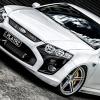
Thought I'd share a fews pics of the girls from the weekend.

Test12.jpg

Test04.jpg

Test13.jpg

Test17.jpg

Test07.jpg

Test05.jpg

Test18.jpg

  • Replies 29
  • Views 5.3k
  • Created
  • Last Reply

Top Posters In This Topic

Most Popular Posts

#2

Bloody Nice mate..

#3

Awesome machines!

#4

Makes me wish I bought a white car :(

#5

awesome cars buds and great pics aswell..

#6

What are those rims?

#7

always loved the f6- now I love the gt....

awesome photos.

#8

great pics mate they look awesome

how do like the herrod motorsport air box on the f6, is it quiet or loud, did you have to move anything to fit it or was it just a swap over

cheers

#9
  • Author

What are those rims?

Wheels are Giovanna Dalars in matte black. 20x8.5 all round on the GT-P and staggered 20x8.5 front & 20x10 on the F6

great pics mate they look awesome

how do like the herrod motorsport air box on the f6, is it quiet or loud, did you have to move anything to fit it or was it just a swap over

cheers

The Herrod CAI was a straight swap, no mods required, at least not with the PW pipes, I doubt it would be any different with the factory piping. Sounds great IMO, not too loud but enough to know its there. Exactly what I was looking for as I didn't want to relocate the battery. Build quality is great and looks OEM.

#10

Awesome pics... The cars speak for themselves :-)

Create an account or sign in to comment

Recently Browsing 0

  • No registered users viewing this page.

Account

Navigation

Search

Search

Configure browser push notifications

Chrome (Android)
  1. Tap the lock icon next to the address bar.
  2. Tap Permissions → Notifications.
  3. Adjust your preference.
Chrome (Desktop)
  1. Click the padlock icon in the address bar.
  2. Select Site settings.
  3. Find Notifications and adjust your preference.