October 26, 201213 yr #952 What size turbo is that JETFPV?GT47-88 Roller mate, BUT I'm going to be upgrading to the new GTX 47-88mm version when they are released here, car's currently in getting tubbed etc as we speak to fit 325/50/15 ET Street's, Car is going to be Fully engineered for all mod's ( Been pre- approved and inspected already ) Just have to finish it all off and sent it off to the engineer to do some brake, steering etc test's to complete the Certificate...Should be finished in the new year sometime...
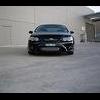
October 26, 201213 yr #954 Found pic of the front on my carhttp://i899.photobucket.com/albums/ac197/Luxpsi87/63DAE586-F431-49CC-899C-E3750E6F972B-7677-000009DB8BB05BBF.jpg
October 26, 201213 yr #956 sigh ....ill do itThanks How do u do that. When I use photobucket I copy the link and just paste it and it dosent show the pic like u made it just do.
October 26, 201213 yr #957 you need to copy the last one that has IMG before it,you just posted the link to the image at photobucket.Andddd,nice car mate.perfect height imo.
October 26, 201213 yr #959 Pls pls make a build threadYep will make 1 when I get the car back with some updated shot's...Cheer's...


Create an account or sign in to comment