Skip to content
View in the app

A better way to browse. Learn more.

Ford XR6 Turbo.com

A full-screen app on your home screen with push notifications, badges and more.

To install this app on iOS and iPadOS
  1. Tap the Share icon in Safari
  2. Scroll the menu and tap Add to Home Screen.
  3. Tap Add in the top-right corner.
To install this app on Android
  1. Tap the 3-dot menu (⋮) in the top-right corner of the browser.
  2. Tap Add to Home screen or Install app.
  3. Confirm by tapping Install.

Show Everyone Your Car..

Featured Replies

#861

Just a quick update...

post-11718-0-10245000-1340189543_thumb.j

  • 2 weeks later...
  • Replies 1.3k
  • Views 160.6k
  • Created
  • Last Reply

Top Posters In This Topic

Most Popular Posts

Posted Images

#862

the gte

gte1.jpg

gte.jpg

the el

f6el.jpg

POLISH.jpg

#863

crap! that gte is sweet!

#864

fark yeh killer stance

on the el mainline motors inn s.a? really?

#865

1f8bf0e6.jpg

11acd50e.jpg

#866

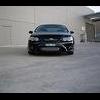
oh nice no spoiler and v8 lid very tidy whats your colour called ?

#867

when did the no spoiler and bonnet happen adie?

#868

Where's my car been for the past month?

Snot - its flare.

Edited by adie

#869

yer getting fixed, didnt realise you were sneaky and got no spoiler and snuck in a bonnet did I!

#870

Haha freaky you derp.

Looks good Adie! No stickers, spoiler and the bonnet addition, nice! Next? Lowered? Or performance mods?

Create an account or sign in to comment

Recently Browsing 0

  • No registered users viewing this page.

Account

Navigation

Search

Search

Configure browser push notifications

Chrome (Android)
  1. Tap the lock icon next to the address bar.
  2. Tap Permissions → Notifications.
  3. Adjust your preference.
Chrome (Desktop)
  1. Click the padlock icon in the address bar.
  2. Select Site settings.
  3. Find Notifications and adjust your preference.