May 12, 200620 yr #11 I'm getting some killer speed from the host.750kb/s 1m 46sec to grab.cheers for the link ←Yeah I'll say its damn fast 1.15 Megs/Second from that link!!←dammit... my adsl2+ is sh*ttiing me to tears. too patchy, and I'm 500m from the exchange! Mine peaks @ 1.1Mb..
May 12, 200620 yr #12 Author Here's some link action where the driver in the vid (Adam Newton) briefly discusses the car, as does Fernando Wiehrl, both well known drifters.http://www.driftaustralia.com.au/forum/top...sp?TOPIC_ID=664
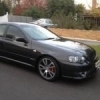
May 14, 200620 yr #13 The F6 is awesome, but it looks a bit out done by the old silvia, I think they need some changes to the rubber and suspension to make it competitive. Just looked like a road car doing skids, and it really moved around on its springs! Its still 1800kg+ vs 1400kg of other cars.The capa drift ute is where they should be heading in terms of style and performance. Sounded unreal though!!!
May 14, 200620 yr #16 Ridge pukin his gut's up was the highlight for me...piss off back to wheel of fortune or where ever....
May 15, 200620 yr #18 The F6 is awesome, but it looks a bit out done by the old silvia, I think they need some changes to the rubber and suspension to make it competitive. Just looked like a road car doing skids, and it really moved around on its springs! Its still 1800kg+ vs 1400kg of other cars.The capa drift ute is where they should be heading in terms of style and performance. Sounded unreal though!!! ←Exactly what I was thinking... it was defo moving around a lot on the springs I.e. bodyroll... still pretty good for a big boofy aussie sedan but the lighter silvia has it over it!!
May 15, 200620 yr #19 wasn't too bad, was it just me or was the monster tacho not working it's on there for the wank factorI was maxing out at 192kb/s Edited May 15, 200620 yr by qwigybo


Create an account or sign in to comment