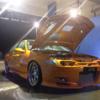
June 6, 201214 yr #1 Just a couple of pics for now. I basically bought it completed and am slowing redoing a number of things with the better products now available.
June 6, 201214 yr #3 Was that the one that was built by Racetec in Dandenong? I'm sure he built the motor and tuned it. Could be wrong as there is another EF EL done by them.
June 6, 201214 yr #5 Author Was that the one that was built by Racetec in Dandenong? I'm sure he built the motor and tuned it. Could be wrong as there is another EF EL done by them.Yeah that's it. The car was still blue back when it was originally done.
June 7, 201214 yr #9 Love everything about this car (except the front bumper )Is my memory incorrect or does this run a wolf ecu?
June 7, 201214 yr #10 Author It used to run a wolf 3d v4 but I had it rewired with a factory computer. Apparently it has made over 500rwkw with a temp wolf v500 wired in and the exhaust dropped off. The turbo is showing signs of wear so the boys kept it nice and safe with only 17psi for now.The first thing I did was change the entire drive-train from:4-speed top-loadercable operated custom triple plate clutch (kind of like trying to scoop ice cream with a tea spoon)3.7:1 mini-spooled rear endTo:T56NPC Singled 11inch ClutchHydraulic pedalcustom 3.5inch single piece tail-shaftKAAZ LSD with 3.9's


Create an account or sign in to comment