Skip to content
View in the app

A better way to browse. Learn more.

Ford XR6 Turbo.com

A full-screen app on your home screen with push notifications, badges and more.

To install this app on iOS and iPadOS
  1. Tap the Share icon in Safari
  2. Scroll the menu and tap Add to Home Screen.
  3. Tap Add in the top-right corner.
To install this app on Android
  1. Tap the 3-dot menu (⋮) in the top-right corner of the browser.
  2. Tap Add to Home screen or Install app.
  3. Confirm by tapping Install.

Dlm & Assist Proudly Sponsored Xr6 Turbo Drag Car (Dragon Ii)
Featured Replies

#101

400 @ 5psi and big cams, what RPM?

Insane numbers

Edited by XYZ

  • Replies 112
  • Views 20.7k
  • Created
  • Last Reply

Top Posters In This Topic

Most Popular Posts

Posted Images

#102

als race glides build killer boxes. built my c4 and the box in my off road car. would recomend him to anyone

  • 4 weeks later...
#103

Anyone in the Tuggerah NSW area over the next few weeks can fill free to watch the Big Dan Racing & iDyno performance Tuning face book page to be invited to watch the big Boost dyno test runs and have a look over the car getting ready to run into the 7 second class.

post-53514-0-73338500-1351764140_thumb.j

#104

Sounds Awesome guys...

  • 1 month later...
#105

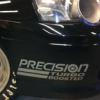
Anymore specs on the turbo ?

Promod 91/94 ?

  • 2 months later...
#106

this car appears to be for sale, bit disappointing

#107

Howmuchisit ?

#108

Wheres the listing?

#109

Where's this for sale ad?

Create an account or sign in to comment

Recently Browsing 0

  • No registered users viewing this page.

Account

Navigation

Search

Search

Configure browser push notifications

Chrome (Android)
  1. Tap the lock icon next to the address bar.
  2. Tap Permissions → Notifications.
  3. Adjust your preference.
Chrome (Desktop)
  1. Click the padlock icon in the address bar.
  2. Select Site settings.
  3. Find Notifications and adjust your preference.