March 20, 200917 yr #1 I would like to thank bps in helping me reach my goal as to where the car stands. From the moment I walked through the doors right through to the 7:30 finish tonight I can't express my gratitude enough the car is performaing fabulous and the power is eased on gradually I am stoked. from 330 to 380rwkw thanks
March 21, 200917 yr #2 what boost was that on? can you punch more boost through the bigger comp housing? nice work btw!
March 21, 200917 yr #4 that's excellent mate.must feel good to be able to forget about the previous efforts.ill be heading there soon myself.
March 21, 200917 yr #7 some one at the drags said your car blew up. is this true or are they telling porky pies
March 21, 200917 yr #8 Author what boost was that on? can you punch more boost through the bigger comp housing? nice work btw!yeah 18psi was hard to keep at this boostNice work must be a blast what cooler is that ? looks massive. its a rapid setup v4.5some one at the drags said your car blew up. is this true or are they telling porky piessome one is telling you porkys running better than ever no backfires no engine lights since this tune car could have been pushed more but on stock bottom end not worth it. one of the tunes it pulled 820nm Edited March 22, 200917 yr by tab fixed quotes

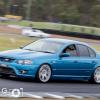

Create an account or sign in to comment