Skip to content
View in the app

A better way to browse. Learn more.

Ford XR6 Turbo.com

A full-screen app on your home screen with push notifications, badges and more.

To install this app on iOS and iPadOS
  1. Tap the Share icon in Safari
  2. Scroll the menu and tap Add to Home Screen.
  3. Tap Add in the top-right corner.
To install this app on Android
  1. Tap the 3-dot menu (⋮) in the top-right corner of the browser.
  2. Tap Add to Home screen or Install app.
  3. Confirm by tapping Install.

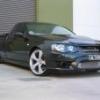
Turbo Ute!

Featured Replies

#11

don't mind me.. but I'm just off to the bedroom with a roll of toilet paper :blush:

  • Replies 33
  • Views 3.8k
  • Created
  • Last Reply

Top Posters In This Topic

Posted Images

#12
  • Author

thanks for the comments guys! appriciate it..

Mods-

Walbro pump

Nizpro injectors

Rapid- hotside,coldside,dosepipe,cooler

X-force Full 3" Zorst

14 pound

342rwkw

I have felt a power difference in the dose pipe as yet, but when it hits summer, and if its lacking performance ill change it, and relocate the battery and use rapids alloy box intake.

It sounds awsom with the dose pipe, highly recommened you do it at least once, use will love it.

#13
  • Author
Holy crap that looks tuff.

What cooler is it? Is the bonnet fibreglass?

Rapid cooler bro..nah I got the bonnent when I bought the car, ordered it from ford.

#14

Looks nice as bud, Cant wait to see it in perth street car ;)

#15

Looks brilliant :welcome2:

#17

Looks tuff :blush:

#18

looks sweet man

dont think im gonna get away with a few little mods seeing stuff like that just gets the juices flowin

top work

#19

Looks great, but needs the top grille back in my opinion.

#20

Just a quick question about the Monza oil breather filter you have on the top of the engine cover. Do you know whether it's okay to run one of these with the stock crossover? :nono: Just wondering as I've seen it in a few setups, and kind of hate the stock oil breather line/pipe.

Tough looking car btw. :spoton:

Create an account or sign in to comment

Recently Browsing 0

  • No registered users viewing this page.

Account

Navigation

Search

Search

Configure browser push notifications

Chrome (Android)
  1. Tap the lock icon next to the address bar.
  2. Tap Permissions → Notifications.
  3. Adjust your preference.
Chrome (Desktop)
  1. Click the padlock icon in the address bar.
  2. Select Site settings.
  3. Find Notifications and adjust your preference.