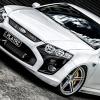
03/08/08 11:00 AM03/08/08 11:00 AM #21 Nice Choice mate - and love the wheels - SLICK!You've got everything that's great about the BFMKIIF6 - plus some luxury and horn looks!And, when you need to stop in a hurry and stand on the brakes - you'll be dead set glad you went FPV!
03/08/08 11:21 PM03/08/08 11:21 PM #23 Author Man am I jealous... What a beautiful car... How many k's and what sort of trade in did you get for your BA?My BA XR6T was 2003 with approx. 64K Km's on the clock, completely stock apart from the wheels and suspension. I got $23K for it. The Force 6 ended up @ just under $50K on road.
04/08/08 01:55 AM04/08/08 01:55 AM #25 Good on you Playrz, you won't regret that move. The FG might be so called 'New Generation" but they are already having some vibration problems. I've driven a few now, and been in 2 modded ones, and IMHO if they are better, they ain't that much better, so much so that my BF R Spec will be my last Ford. Rather a Force 6 FPV than a FG XR6T any day. Get a few mods and the FG becomes a MOOT POINT really. Edited 04/08/08 01:58 AM04/08/08 01:58 AM by hypnodoc
07/09/08 12:02 PM07/09/08 12:02 PM #29 very nice mate. awesome colour and interior combo. I wouldnt change the rims they suit it perfect, just lowered a bit and it will set it off. good luck


Create an account or sign in to comment