Skip to content
View in the app

A better way to browse. Learn more.

Ford XR6 Turbo.com

A full-screen app on your home screen with push notifications, badges and more.

To install this app on iOS and iPadOS
  1. Tap the Share icon in Safari
  2. Scroll the menu and tap Add to Home Screen.
  3. Tap Add in the top-right corner.
To install this app on Android
  1. Tap the 3-dot menu (⋮) in the top-right corner of the browser.
  2. Tap Add to Home screen or Install app.
  3. Confirm by tapping Install.

See the Motorcycle?

Featured Replies

#2
the above operator would have traveled over 363 feet while making a decision on what actions to take

Is that the decision on whether it was his arse or his kneecap passing his nose? :spoton:

#3

Doubt any of them would have even known about it.

Would've been instant :spoton:

#4

Gross

Even just imagining what the people saw/felt makes me feel :tease:

Good thing there aren't pics of the scene :spoton:

#5

bloody honda riders

#6

If he was going a bit faster he might have made it right through ...

#7

I'm sure that's repairable :spoton:

#8

That must be the ghost rider. He's from sweeden and I heard he is dead. Man that guy had it coming.

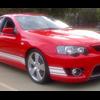
#9

not ghost rider.he rides a black suzuki gsxr1000.air bag didnt help much.

Create an account or sign in to comment

Recently Browsing 0

  • No registered users viewing this page.

Account

Navigation

Search

Search

Configure browser push notifications

Chrome (Android)
  1. Tap the lock icon next to the address bar.
  2. Tap Permissions → Notifications.
  3. Adjust your preference.
Chrome (Desktop)
  1. Click the padlock icon in the address bar.
  2. Select Site settings.
  3. Find Notifications and adjust your preference.