01/09/13 08:39 AM01/09/13 08:39 AM #11 Author I found in my g6e turbo that I have never done a single spinner from accelerating too hard. It has always kicked double leggars. I found that it is only when the car is going through a "snakey" that the G6E diff will spin one wheel 50% of the time but only when the rear end is sliding to the left, it will then kick double again when the ass slides to the right which makes getting the car under control from a out of control situation a bit of a mission. So IMO I don't think a LSD/locker(trutrac) will help in keeping the tyres from spinning, but it will help stop the car from performing differently when sliding from one side to the other.I have not had much experience in finding grippy tyre as I always buy one of the cheaper tyre brands for the rear.My G6E T is making about 400-410rwkw(made 380rwkw while spinning the tyres 600rpm faster then the dyno rollers and was told that would be about 30rwkw of loss) and I think that the main reason why my tyres break loose while driving hard is that I have had the G/box tuned and it now changes up gears very firmly, therefore starting the tyre spin.How you do thatPreferences§1234567890-=Backspace TabqwertyuIop[] Return capslockasdfghjkl;'\ shift`zxcvbnm,./shift English Deutsch Español Français Italiano Português Русский altalt PreferencesDo you mean all the crap that is added to my posts. If yes,I dont know but I dont have a clue why or how to stop it. I have had to go in after posting a comment and edit it and "cut" the crap out.
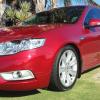
01/09/13 08:42 AM01/09/13 08:42 AM #12 Author Hi mate, what's happening with your posts, it puts up a lot of weird letters and numbers coming down the screen, or is it my ipad getting some weird postBut anyway nice looking car, but I might be a bit biased to the model and colourI dont know whats going on mate. Thanks,I love that colour. Its giving me the sh*ts that all this rubbish is there,I have to go back and edit to get rid of it. Preferences§1234567890-=Backspace TabqwertyuIop[] Return capslockasdfghjkl;'\ shift`zxcvbnm,./shift English Deutsch Español Français Italiano Português Русский altalt Preferences
01/09/13 09:04 AM01/09/13 09:04 AM #13 are you using a computer or a mobile device with the MotorCulture app (or similar)?
01/09/13 11:34 AM01/09/13 11:34 AM #14 Author are you using a computer or a mobile device with the MotorCulture app (or similar)?Preferences§1234567890-=Backspace TabqwertyuIop[] Return capslockasdfghjkl;'\ shift`zxcvbnm,./shift English Deutsch Español Français Italiano Português Русский altalt PreferencesI dont know what Motorculture is,but im using a home computer,a newish iMac.
01/09/13 11:49 AM01/09/13 11:49 AM #15 lol. I wasn't going to say anything. Craziness!can you get chrome browser for the mac? might work properly. Edited 01/09/13 11:49 AM01/09/13 11:49 AM by -SteveR-
01/09/13 01:29 PM01/09/13 01:29 PM #18 Author lol. I wasn't going to say anything. Craziness!can you get chrome browser for the mac? might work properly.Preferences§1234567890-=Backspace TabqwertyuIop[] Return capslockasdfghjkl;'\ shift`zxcvbnm,./shift English Deutsch Español Français Italiano Português Русский altalt PreferencesI reset Safari,cleared the cache and changed to chrome,lets see if its fixed
01/09/13 01:34 PM01/09/13 01:34 PM #19 Author COP!!Preferences§1234567890-=Backspace TabqwertyuIop[] Return capslockasdfghjkl;'\ shift`zxcvbnm,./shift English Deutsch Español Français Italiano Português Русский altalt PreferencesCOP. Yeah mate. I work off shore,coded Tig welder in the Gas and Oil industry


Create an account or sign in to comment