Skip to content
View in the app

A better way to browse. Learn more.

Ford XR6 Turbo.com

A full-screen app on your home screen with push notifications, badges and more.

To install this app on iOS and iPadOS
  1. Tap the Share icon in Safari
  2. Scroll the menu and tap Add to Home Screen.
  3. Tap Add in the top-right corner.
To install this app on Android
  1. Tap the 3-dot menu (⋮) in the top-right corner of the browser.
  2. Tap Add to Home screen or Install app.
  3. Confirm by tapping Install.

I Am In Finally!

Featured Replies

#1

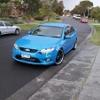
SOOOOOOOOOOO Finally I made this 300 club!!!

After having some issues with my car it went back in for a re-tune and the turbo side air box and the car made 305RWK was previously tuned at 289 from memory. Very happy with it seems to be much stronger then what it was. Still love the little turbo crazy spool up and low rev power is awesome :turboboink: :turboboink:

Mods are:

Process west stg2.5 cooler kit

Xforce 3.5 inch full exhaust

Nizpro injectors

Nizpro battery relo and air box

And Nizpro tuned

Next on the list is e85 to realy max it out but that wont be happening for a lil while.

  • Replies 47
  • Views 4.9k
  • Created
  • Last Reply

Top Posters In This Topic

Most Popular Posts

Posted Images

#2

Nice. what boost r u running mate.??

#3

Well done Igor.

#4

This thread named after freakys sex life?

#5
  • Author

Thanks mate, its on about 16psi I will post dyno sheet later

Hahahahhaha Henz

#6

Congrats Igor you were in with 289 ;). Did you end up fixing that other issue you had a few weeks ago? What was it?

#7

Nice. what boost r u running mate.??

Oh no, he didn't ask...Yep, he did :facepalm:

#8

Lol. 'Did you do valve springs?'

#9
  • Author

LOL yeah all fixed now

Create an account or sign in to comment

Recently Browsing 0

  • No registered users viewing this page.

Account

Navigation

Search

Search

Configure browser push notifications

Chrome (Android)
  1. Tap the lock icon next to the address bar.
  2. Tap Permissions → Notifications.
  3. Adjust your preference.
Chrome (Desktop)
  1. Click the padlock icon in the address bar.
  2. Select Site settings.
  3. Find Notifications and adjust your preference.