Skip to content
View in the app

A better way to browse. Learn more.

Ford XR6 Turbo.com

A full-screen app on your home screen with push notifications, badges and more.

To install this app on iOS and iPadOS
  1. Tap the Share icon in Safari
  2. Scroll the menu and tap Add to Home Screen.
  3. Tap Add in the top-right corner.
To install this app on Android
  1. Tap the 3-dot menu (⋮) in the top-right corner of the browser.
  2. Tap Add to Home screen or Install app.
  3. Confirm by tapping Install.

Spoiler Or No Spoiler On Fg
Featured Replies

#81

Still trying to figure out how I've missed seeing your bobtail 1nsane every time I've seen your car lol, wtf?! Maybe just too glued onto your wheels and distracted by the cars noise :P

Edited by Shyfrd

  • Replies 84
  • Views 10.6k
  • Created
  • Last Reply

Top Posters In This Topic

Most Popular Posts

Posted Images

#82

hey INSANE,nice car buds it looks good..is that a 944 in the garage I see.....

#83

Thanks guys. Yeah that's a 944 in the garage. Non turbo. Exactly opposite to the xr in every way lol

#84

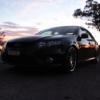
I vote G6ET look

smallparkshot.jpg

#85

definitely better with the lip spoiler. FG's just dont look right without a spoiler of some sort.

Create an account or sign in to comment

Recently Browsing 0

  • No registered users viewing this page.

Account

Navigation

Search

Search

Configure browser push notifications

Chrome (Android)
  1. Tap the lock icon next to the address bar.
  2. Tap Permissions → Notifications.
  3. Adjust your preference.
Chrome (Desktop)
  1. Click the padlock icon in the address bar.
  2. Select Site settings.
  3. Find Notifications and adjust your preference.