Skip to content
View in the app

A better way to browse. Learn more.

Ford XR6 Turbo.com

A full-screen app on your home screen with push notifications, badges and more.

To install this app on iOS and iPadOS
  1. Tap the Share icon in Safari
  2. Scroll the menu and tap Add to Home Screen.
  3. Tap Add in the top-right corner.
To install this app on Android
  1. Tap the 3-dot menu (⋮) in the top-right corner of the browser.
  2. Tap Add to Home screen or Install app.
  3. Confirm by tapping Install.

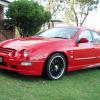
Not Quite A Te50 But Close

Featured Replies

#31

You've hit a sore spot Steve...

:laughing:

  • Replies 83
  • Views 5.7k
  • Created
  • Last Reply

Top Posters In This Topic

Posted Images

#32
  • Author
:roflmbo: It would appear so Pat, it would appear so :stupid:
#33

I'm with you stevo...the 220kw will hold its own on the next cruise.... just hope a couple of XR6 N/A come along...otherwise it could be lonely at the back of the pack.... :stupid::roflmbo:

#34
  • Author

Thanks for the vote of ahem confidence Nick.

#35

So...you've gone from something that wouldn't stop to something that won't go??? Good job Stevo :stupid:

And why is it that everyone picks on you all the time?

#36
  • Author
:stupid: You moderators are cunny funts, . :bum:
#37

maybe remove the towbar Stevie, with only 220 to play with, youre gonna need all the help with power to weight you can get.

lol @ n/a's giving you a run for ya money.

#38
:stupid: shoulda let me keep going with the colour jokes :bum:
#39
  • Author

First colour jokes now power jokes :stupid:

lalalalalala...Dont listen to forum nobs, must keep car original, dont listen to forum nobs, must keep car original, dont listen to forum nobs, must keep car original, dont listen to forum nobs, must keep car original, dont listen to forum nobs.................

#40

fark steve paint it a real colour and drop a kb on that boat anchor will ya :nyaah::buttrock:

Create an account or sign in to comment

Recently Browsing 0

  • No registered users viewing this page.

Account

Navigation

Search

Search

Configure browser push notifications

Chrome (Android)
  1. Tap the lock icon next to the address bar.
  2. Tap Permissions → Notifications.
  3. Adjust your preference.
Chrome (Desktop)
  1. Click the padlock icon in the address bar.
  2. Select Site settings.
  3. Find Notifications and adjust your preference.