Skip to content
View in the app

A better way to browse. Learn more.

Ford XR6 Turbo.com

A full-screen app on your home screen with push notifications, badges and more.

To install this app on iOS and iPadOS
  1. Tap the Share icon in Safari
  2. Scroll the menu and tap Add to Home Screen.
  3. Tap Add in the top-right corner.
To install this app on Android
  1. Tap the 3-dot menu (⋮) in the top-right corner of the browser.
  2. Tap Add to Home screen or Install app.
  3. Confirm by tapping Install.

Members Out West

Featured Replies

#191

Put me down.

  • Replies 262
  • Views 38.3k
  • Created
  • Last Reply

Top Posters In This Topic

Most Popular Posts

Posted Images

#193

Ill be in for that for sure!

#195

Im keen, date pending however

#196

If it's after the 22nd then I'm in

#197

yup

#199

I,ll be in on that

  • 8 months later...
#200

Hi Guys and Girls,

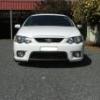
I'm from the Hawkesbury and have a 2013 FG MkII XR6T. I know it isn't West of the Mountains but I can't find any other intro threads. Joined the forum to learn more about them, common faults and different things mechanically etc. I don't plan to mod the car in any way, at least until after Warranty is up and even then it may only be very mild like intake and exhaust. I have another car for that and want to keep the XR as a reliable daily.

Create an account or sign in to comment

Recently Browsing 0

  • No registered users viewing this page.

Account

Navigation

Search

Search

Configure browser push notifications

Chrome (Android)
  1. Tap the lock icon next to the address bar.
  2. Tap Permissions → Notifications.
  3. Adjust your preference.
Chrome (Desktop)
  1. Click the padlock icon in the address bar.
  2. Select Site settings.
  3. Find Notifications and adjust your preference.