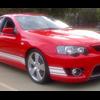
26/12/06 07:24 AM26/12/06 07:24 AM #1 Well after selling my XR, I finally picked up my GT last week.Optioned leather and sunroof. Gunna lower it this week and fit the Modenas. Probably Edit and a bit of zorst in the next few weeks.Here's some pictures in the meantime.Enjoy....
26/12/06 07:35 AM26/12/06 07:35 AM #2 Nice looking car Rob.... spoiling yourself at xmas.Have fun, and makes lots of noise.Brian
26/12/06 07:41 AM26/12/06 07:41 AM #5 Author I forgot to mention. I also got 6 speed auto and a free attitudinal problem that needs a little re-adjusting.
26/12/06 08:00 AM26/12/06 08:00 AM #7 Congrats mate looks awesome!! Look forward to reading a write up on what you think of her once you have done a few kms in it.What made you go the GT over the F6? Edited 26/12/06 08:00 AM26/12/06 08:00 AM by XR6NA
26/12/06 08:28 AM26/12/06 08:28 AM #9 Looks good mate, apart from the strip's.What is that red called vixen,venom???
26/12/06 08:43 AM26/12/06 08:43 AM #10 Author Looks good mate, apart from the strip's.What is that red called vixen,venom???←Yeh, Vixen mate. the stripes........I'm 80% chance gunna remove them. I'll see how they look with the aftermarket rims first though.


Create an account or sign in to comment