Skip to content
View in the app

A better way to browse. Learn more.

Ford XR6 Turbo.com

A full-screen app on your home screen with push notifications, badges and more.

To install this app on iOS and iPadOS
  1. Tap the Share icon in Safari
  2. Scroll the menu and tap Add to Home Screen.
  3. Tap Add in the top-right corner.
To install this app on Android
  1. Tap the 3-dot menu (⋮) in the top-right corner of the browser.
  2. Tap Add to Home screen or Install app.
  3. Confirm by tapping Install.

452Rwkw

Featured Replies

#51
  • Author

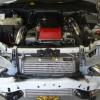
well the GTX is all bolted up, gets tuned on tuesday

post-47260-0-02574100-1370583396_thumb.j

  • Replies 90
  • Views 9.1k
  • Created
  • Last Reply

Top Posters In This Topic

Most Popular Posts

Posted Images

#52

What was that 4 inch silicone joiner worth jarred ?

Where did u get it from ?

#53
  • Author

I think it was about 200 bucks from process west

#54

Sweet

#55
  • Author

Finally back into the 400s. Got it tuned today and it peaked out at 408.1rwkw and it was tuned to 405 on the dot. I took for it a quick spin and it pulls pretty damn hard, the GTX3582 doesn't really feel any laggier than the old GT35. Can't wait to have my tailshaft built so that I can use the power.

scan0001.pdf

scan0002.pdf

#56

that's A fair wack of boost jarred

#57

looks good jarred. 21psi in the mid to..

#58
  • Author

Yeah it was a bit more boost then I would have liked to run, but Simon at Morpowa said that it was safe. So here's to hoping he's correct. All I know is that it pulls a lot harder than the last turbo

#59

nice work mate.

I went 387kw at 17.5psi

Edited by Chaos310

#60

Saw your car on the hoist last week ripped. Looking good.

Create an account or sign in to comment

Recently Browsing 0

  • No registered users viewing this page.

Account

Navigation

Search

Search

Configure browser push notifications

Chrome (Android)
  1. Tap the lock icon next to the address bar.
  2. Tap Permissions → Notifications.
  3. Adjust your preference.
Chrome (Desktop)
  1. Click the padlock icon in the address bar.
  2. Select Site settings.
  3. Find Notifications and adjust your preference.