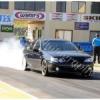
17/08/10 01:39 PM17/08/10 01:39 PM #1 hi guys,well car was tuned to day by justin at blacktrack and made 416.8rwkw.the car was a manual about year ago and made just under 400kw with the 6spd, then a custom 3spd jatco with and electric overdrive has been in stalled and the car was dynoed again and only made 350kw due to the auto and was tuned up to 370kw and went 11.1@125, . now the car has been fitted with a T04Z on the standard manifold using the factory exhaust housing. the car is a 2003 BA xr6t with a FG F6 bottom end nizpro stage 2.5 kit, blacktrack custom surge tank and few other goodies. we are running it this weekend at jamboree at willowbank. so yeha any questions feel free to askcheers mitch
17/08/10 05:52 PM17/08/10 05:52 PM #2 welcome 2 the 400 club!how's the new turbo setup feel compared 2 the stocky?
17/08/10 11:06 PM17/08/10 11:06 PM #4 Well done Mitch, great result.Will come and say g'day to you at Jambo. Good luck.
18/08/10 02:05 PM18/08/10 02:05 PM #7 Good luck mate, similar set up to mine, will be interesting to see what times it does
18/08/10 03:37 PM18/08/10 03:37 PM #8 Leave a good skid on Brunker rd for me for when I visit my brother next time
19/08/10 11:13 AM19/08/10 11:13 AM #9 Author cheers guys,I'll take my laptop up and will hopefully post up good news
19/08/10 11:18 AM19/08/10 11:18 AM #10 will def be coming to jamboree to have a chat about your to4z, I am thinking about doing the same to my fg turbo. good result and well done! Edited 19/08/10 11:19 AM19/08/10 11:19 AM by Boosted1


Create an account or sign in to comment