Skip to content
View in the app

A better way to browse. Learn more.

Ford XR6 Turbo.com

A full-screen app on your home screen with push notifications, badges and more.

To install this app on iOS and iPadOS
  1. Tap the Share icon in Safari
  2. Scroll the menu and tap Add to Home Screen.
  3. Tap Add in the top-right corner.
To install this app on Android
  1. Tap the 3-dot menu (⋮) in the top-right corner of the browser.
  2. Tap Add to Home screen or Install app.
  3. Confirm by tapping Install.

Front Lip

Featured Replies

#21
post-7237-1186593920_thumb.jpg :spoton:

That looks Tuff :buttrock:

my shoping list goes longer :roflmbo:

  • Replies 22
  • Views 1.8k
  • Created
  • Last Reply

Top Posters In This Topic

Posted Images

#22
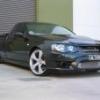
So you are happy with how it fits and quality?

do you mind me asking how much you paid to paint the front and back? Did you have to re-spay the whole font and rear bar or they just colour matched it?

The Quality Is Great except for some slight sanding like all fibreglass kits

It cost me around $500ish painted and fitted and didnt require the front or rear bar to be resprayed. The colour matched perfectly so it didnt require a full respray

#23

Sounds good looks like I'll have to get it then

Thanks

Create an account or sign in to comment

Recently Browsing 0

  • No registered users viewing this page.

Account

Navigation

Search

Search

Configure browser push notifications

Chrome (Android)
  1. Tap the lock icon next to the address bar.
  2. Tap Permissions → Notifications.
  3. Adjust your preference.
Chrome (Desktop)
  1. Click the padlock icon in the address bar.
  2. Select Site settings.
  3. Find Notifications and adjust your preference.