Skip to content
View in the app

A better way to browse. Learn more.

Ford XR6 Turbo.com

A full-screen app on your home screen with push notifications, badges and more.

To install this app on iOS and iPadOS
  1. Tap the Share icon in Safari
  2. Scroll the menu and tap Add to Home Screen.
  3. Tap Add in the top-right corner.
To install this app on Android
  1. Tap the 3-dot menu (⋮) in the top-right corner of the browser.
  2. Tap Add to Home screen or Install app.
  3. Confirm by tapping Install.

Things You See At Work

Featured Replies

#1

I've been working in the car park at Coolangatta Airport and found there is always something nice to look at. Apart from all the Virgin girls that walk passed constantly, there's always heaps of nice cars that come in and park, like a couple of Ferrari's, heaps of Porsche's, a really nice SL65AMG (Mercedes coupe Bi-turbo 6L V12 with stock power of 450kw and 1000nm), and what about a Beamer X5 with 315/30/20 Rear tyres :laughing:

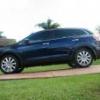
But nothing has inspired me to take a photo of any of these, until today when I spotted this absolute dream machine.

Finished in what would be described as extremely high quality pressure pak black paint :nono:

Gotta love the baggage rack

Clarke

#2
  • Author

Oh did I mention it had Vic No Plates, say no more :nono:

Clarke :laughing:

#3

I believe he's going for the 50's rat rod /custom look..doesnt look as ridiculous as the "GT" fairlane that somebody else posted the other day...

#4

:fool: ,dont think so

:crybaby: ,is how is makes me

#6

On ya Clarkey! :crybaby:

#7
  • Author
I dont reckon it looks that bad....now where are the Virgin girls... :msm:

They walk right past and jump on the Virgin planes. :tease:

Maybe I can......

Clarke :laughing:

Create an account or sign in to comment

Recently Browsing 0

  • No registered users viewing this page.

Account

Navigation

Search

Search

Configure browser push notifications

Chrome (Android)
  1. Tap the lock icon next to the address bar.
  2. Tap Permissions → Notifications.
  3. Adjust your preference.
Chrome (Desktop)
  1. Click the padlock icon in the address bar.
  2. Select Site settings.
  3. Find Notifications and adjust your preference.