Skip to content
View in the app

A better way to browse. Learn more.

Ford XR6 Turbo.com

A full-screen app on your home screen with push notifications, badges and more.

To install this app on iOS and iPadOS
  1. Tap the Share icon in Safari
  2. Scroll the menu and tap Add to Home Screen.
  3. Tap Add in the top-right corner.
To install this app on Android
  1. Tap the 3-dot menu (⋮) in the top-right corner of the browser.
  2. Tap Add to Home screen or Install app.
  3. Confirm by tapping Install.

At Last!

Featured Replies

#1

HI to all,

After a year or so of will I or won't I I finally picked up my T today.

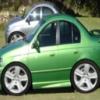
Its a standard 04 model,37000kms,auto,envi,in perfect condition and cost me $29000.

I couldn't be happier :spoton:

  • Replies 29
  • Views 3k
  • Created
  • Last Reply

Top Posters In This Topic

Posted Images

#2

Well done mate. Enjoy the T :spoton:

#3

Welcome to the club :spoton::spoton:

Congrats you will love every minute of drivin it

I know I do :blink:

#4

Good on ya bloke!

I've had my addiction for just over 2 years now, and I won't be giving it up ever! :spoton:

Sure I'll buy a new car soon but this one is stayin in the Garage.

#5

sounds awesome mate :spoton:

cant wait to see some pictures

#6
Good on ya bloke!

I've had my addiction for just over 2 years now, and I won't be giving it up ever! :spoton:

Sure I'll buy a new car soon but this one is stayin in the Garage.

hahahaha, I feel the same way... :spoton:

#7

Good pick up there mate!!

Any plans for it?

Jack :spoton:

#8

Top colour choice fella! :spoton:

Enjoy it.

#9

Congrats on the new ride and welcome to the forums. I hated envi when it first came out but after those limited edition XR8 Enforcers it's really grown on me.

#10

ooohh very nice! I like the envi ones :crybaby:

Create an account or sign in to comment

Recently Browsing 0

  • No registered users viewing this page.

Account

Navigation

Search

Search

Configure browser push notifications

Chrome (Android)
  1. Tap the lock icon next to the address bar.
  2. Tap Permissions → Notifications.
  3. Adjust your preference.
Chrome (Desktop)
  1. Click the padlock icon in the address bar.
  2. Select Site settings.
  3. Find Notifications and adjust your preference.