Skip to content
View in the app

A better way to browse. Learn more.

Ford XR6 Turbo.com

A full-screen app on your home screen with push notifications, badges and more.

To install this app on iOS and iPadOS
  1. Tap the Share icon in Safari
  2. Scroll the menu and tap Add to Home Screen.
  3. Tap Add in the top-right corner.
To install this app on Android
  1. Tap the 3-dot menu (⋮) in the top-right corner of the browser.
  2. Tap Add to Home screen or Install app.
  3. Confirm by tapping Install.

At Last!

Featured Replies

#11

good stuff mate, the envi does look good

:crybaby:

  • Replies 29
  • Views 3k
  • Created
  • Last Reply

Top Posters In This Topic

Posted Images

#12

congratulations and welcome to the obsession :crybaby::pooh:

shazzy

#13

You really did choose the best colour, congrats

#14
  • Author

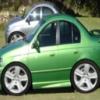
Here are a couple of pics.They are a bit dodgey,taken at the car yard.I have to get my plates put on yet but that's my car.

As for getting mods,not for a while.I'm quite happy with the car at the moment.

Ohh,and by the way

:spoton: for the warm welcome

post-6456-1146292818_thumb.jpg

post-6456-1146292874_thumb.jpg

#15

very nice, :spoton:

#16
ooohh very nice! I like the envi ones :spoton:

:spoton:

#17

Nice car mate, all it needs are some new slimline plates!

#18
  • Author

Yep,the slimline plates look yeaps better.

I have them,(UFO111)but are still on my old car(au11xr8)which my dad now owns.

Will transfer them over to mine on monday...

#19
As for getting mods,not for a while.I'm quite happy with the car at the moment.

Don't worry mate... I said exactly the same thing when I got mine... then I got the 20's... then I got the edit... now I'm just trying to workout how I'm going to afford the next round of mods while still paying off my home loan... :spoton:

You WILL want more... especially after a ride in a modded one... or you hear a modded one go past you with little or no traction :fool::fool::fool:

Jack :spoton:

#20
  • Author

A ride in a modded one would be awesome :spoton:

As for mine,

I don't have the funds to do anything about it at the moment

:spoton:

Create an account or sign in to comment

Recently Browsing 0

  • No registered users viewing this page.

Account

Navigation

Search

Search

Configure browser push notifications

Chrome (Android)
  1. Tap the lock icon next to the address bar.
  2. Tap Permissions → Notifications.
  3. Adjust your preference.
Chrome (Desktop)
  1. Click the padlock icon in the address bar.
  2. Select Site settings.
  3. Find Notifications and adjust your preference.