Skip to content
View in the app

A better way to browse. Learn more.

Ford XR6 Turbo.com

A full-screen app on your home screen with push notifications, badges and more.

To install this app on iOS and iPadOS
  1. Tap the Share icon in Safari
  2. Scroll the menu and tap Add to Home Screen.
  3. Tap Add in the top-right corner.
To install this app on Android
  1. Tap the 3-dot menu (⋮) in the top-right corner of the browser.
  2. Tap Add to Home screen or Install app.
  3. Confirm by tapping Install.

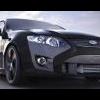
Video clip of Ford GT.

Featured Replies

#2

not working for me :pinch:

#3

nor me

#4
nor me

Me either :pinch:

#6

is it really worth the 60mb download? how long does it go for

#7

I downloaded it ( initially thinking it was on the BA GT :kissmy: ) It is clearly an awesome motor car awith performance only matched by cars costing several times more.

  • 2 weeks later...
#8

Has anyone seen the whole movie ? I never did get to see the end, I keep falling asleep.

#9
is it really worth the 60mb download?

NO

#10

I reckon its worth it but depends how fasst your net speed is though

Create an account or sign in to comment

Recently Browsing 0

  • No registered users viewing this page.

Account

Navigation

Search

Search

Configure browser push notifications

Chrome (Android)
  1. Tap the lock icon next to the address bar.
  2. Tap Permissions → Notifications.
  3. Adjust your preference.
Chrome (Desktop)
  1. Click the padlock icon in the address bar.
  2. Select Site settings.
  3. Find Notifications and adjust your preference.