Skip to content
View in the app

A better way to browse. Learn more.

Ford XR6 Turbo.com

A full-screen app on your home screen with push notifications, badges and more.

To install this app on iOS and iPadOS
  1. Tap the Share icon in Safari
  2. Scroll the menu and tap Add to Home Screen.
  3. Tap Add in the top-right corner.
To install this app on Android
  1. Tap the 3-dot menu (⋮) in the top-right corner of the browser.
  2. Tap Add to Home screen or Install app.
  3. Confirm by tapping Install.

Delayed Delivery On 2013 Fg Xr6T
Featured Replies

#21

When you order a car you have to put a deposit down for it so ford has you commited for a sale, so when parts are getting low maybe ford are using them for dealer show room stock first so their dealers can have vehicles on the floor to make a sale with the person who walks in off the street." Just a thought." I think its only a coincidence but mine was also a luxury pac manual ute. Cheers. ps its worth the wait

  • Replies 52
  • Views 4.6k
  • Created
  • Last Reply

Top Posters In This Topic

Most Popular Posts

Posted Images

#22
  • Author

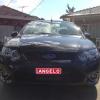
Yeah thought it was the nicest color out of all The new ones

#23
  • Author

Cheers briancdennis

#24

Yeah thought it was the nicest color out of all The new ones

Now now don't be silly its ok but its no Havana :pandalol:

#25
  • Author

Haha I wanted dash but they stopped making them in that color which was a shame but petrolium is hot

#26

Kinectic is the best color

#27

^^^ no silver ^^^

#28

Havana :censored::censored::pandalol:

#29
  • Author

Haha everyone has their colors haha

#30

Long live lightning strike been around since ba and still going strong :nyaah:

Create an account or sign in to comment

Recently Browsing 0

  • No registered users viewing this page.

Account

Navigation

Search

Search

Configure browser push notifications

Chrome (Android)
  1. Tap the lock icon next to the address bar.
  2. Tap Permissions → Notifications.
  3. Adjust your preference.
Chrome (Desktop)
  1. Click the padlock icon in the address bar.
  2. Select Site settings.
  3. Find Notifications and adjust your preference.