Skip to content
View in the app

A better way to browse. Learn more.

Ford XR6 Turbo.com

A full-screen app on your home screen with push notifications, badges and more.

To install this app on iOS and iPadOS
  1. Tap the Share icon in Safari
  2. Scroll the menu and tap Add to Home Screen.
  3. Tap Add in the top-right corner.
To install this app on Android
  1. Tap the 3-dot menu (⋮) in the top-right corner of the browser.
  2. Tap Add to Home screen or Install app.
  3. Confirm by tapping Install.

Fg Xr6T

Featured Replies

#81
  • Author

hoping for it! still need to play around with the actuator to try and get more down low but will see how we go.

  • Replies 80
  • Views 9.5k
  • Created
  • Last Reply

Top Posters In This Topic

Most Popular Posts

  • jacobmitchell92
    jacobmitchell92

    Picked the car up last night after getting E85, made 474rwkw and touched up the tune on 98 which made 415rwkw. Pretty stoked about it apart from having to keep refueling out of jerry cans.

  • jacobmitchell92
    jacobmitchell92

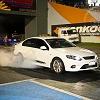
    10.755 at the plex tonight, pretty happy with it for now Once the engine is built ill crank it right up with the little turbo and see what I can get!

  • jacobmitchell92
    jacobmitchell92

    Yeah mate built box and tailshaft all from Monsta Torque, cannot fault them.

Posted Images

Create an account or sign in to comment

Recently Browsing 0

  • No registered users viewing this page.

Account

Navigation

Search

Search

Configure browser push notifications

Chrome (Android)
  1. Tap the lock icon next to the address bar.
  2. Tap Permissions → Notifications.
  3. Adjust your preference.
Chrome (Desktop)
  1. Click the padlock icon in the address bar.
  2. Select Site settings.
  3. Find Notifications and adjust your preference.