Skip to content
View in the app

A better way to browse. Learn more.

Ford XR6 Turbo.com

A full-screen app on your home screen with push notifications, badges and more.

To install this app on iOS and iPadOS
  1. Tap the Share icon in Safari
  2. Scroll the menu and tap Add to Home Screen.
  3. Tap Add in the top-right corner.
To install this app on Android
  1. Tap the 3-dot menu (⋮) in the top-right corner of the browser.
  2. Tap Add to Home screen or Install app.
  3. Confirm by tapping Install.

Rear End Sways When Doing 100 Kms Plus
Featured Replies

#1

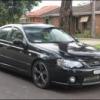
My BA F6 sways around when I am going around 100kms or faster does any one have any idea's what this could be I thought it was wind and road conditions at first but now think different any help would be appreciated thanks

#2

are the wheels spining perhaps?

#3
  • Author

As much as I would like to say yes but no they are not sorry lol

#4

Wheel alignment would be my first call.. Plus it's cheap to get done.. Other thing that gives a slightly unstable feeling is a buckled rim maybe?

#5

Not alignment, alignment would just cause it to pull to one side.

It's most likely your lower control arm bushes, if not that one of the other bushes in there. It's probably doing it at lower speeds too but bit harder to notice...

#6

I had the exact same problem... turned out to be one of the bushes in the back near the wheel, was only the rear drivers side wheel that was the cause for me, at 100 it would get the shakes.. easy fix and not too $$$.. If your in Melb I can recommend a place..

#7
  • Author

Thanks heaps for your input I'm in Sydney and I don't think it's a shake it's like the wheels are spinning but not it doesn't happen all the time it's like the diff is moving from side to side I have lacked it up and put on stands to see if there is any movement but none I'm puzzled

#8

I had a similar issue with new tyres. Swapped from to back and all good.

Create an account or sign in to comment

Recently Browsing 0

  • No registered users viewing this page.

Account

Navigation

Search

Search

Configure browser push notifications

Chrome (Android)
  1. Tap the lock icon next to the address bar.
  2. Tap Permissions → Notifications.
  3. Adjust your preference.
Chrome (Desktop)
  1. Click the padlock icon in the address bar.
  2. Select Site settings.
  3. Find Notifications and adjust your preference.