Skip to content
View in the app

A better way to browse. Learn more.

Ford XR6 Turbo.com

A full-screen app on your home screen with push notifications, badges and more.

To install this app on iOS and iPadOS
  1. Tap the Share icon in Safari
  2. Scroll the menu and tap Add to Home Screen.
  3. Tap Add in the top-right corner.
To install this app on Android
  1. Tap the 3-dot menu (⋮) in the top-right corner of the browser.
  2. Tap Add to Home screen or Install app.
  3. Confirm by tapping Install.

2007 Bf2 Xr6T Ute

Featured Replies

#11
  • Author

Got some cheap ultra low front springs. Little too low for me and the crap roads around here.

Probably change them for some superlow springs.

xrlow1.jpg

xrlow2.jpg

xrlow3.jpg

#12

Dude that height looks sweet, just needs some more out the back now. :beerchug:

#13
  • Author

xrlow4.jpg

xrlow5.jpg

xrlow6.jpg

xrlow7.jpg

  • 2 months later...
#14
  • Author

IMG_4925.jpg

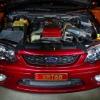
Now got 315kw, tein coilovers. Will be dropping rear 15mm and lower front to suit soon,

Edited by Stazza_Brendan

Create an account or sign in to comment

Recently Browsing 0

  • No registered users viewing this page.

Account

Navigation

Search

Search

Configure browser push notifications

Chrome (Android)
  1. Tap the lock icon next to the address bar.
  2. Tap Permissions → Notifications.
  3. Adjust your preference.
Chrome (Desktop)
  1. Click the padlock icon in the address bar.
  2. Select Site settings.
  3. Find Notifications and adjust your preference.