08/02/09 10:49 AM08/02/09 10:49 AM #21 Hey Paul,Car looks great!The springs should settle a bit more.. Normally it takes a couple hundred kilometres.Cheers
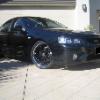
09/02/09 12:49 AM09/02/09 12:49 AM #22 Author Thanks Cameron.Here's a quick pic I took on the weekend.
09/02/09 11:44 AM09/02/09 11:44 AM #23 Very nice,Black on Black centers with polished lip.I use have a Black XR8 S2 and originally bought my Koy Racetechs for it.And people use to comment on how great it looked even the boys from the other make.put them onto my Blue BA and no one ever says anything.Even the secretary at work said she like my AU better.How you finding the Kumo's mainly the front as looking to buy some I can get at a good price.Just read a test though that put them in 9th place out of ten.Your ride height looks very close to where mine was before it settled so would think it would settle to just above the tyre tops,just enough to get your fingers on top of tyre.
12/02/09 10:47 AM12/02/09 10:47 AM #24 Thanks Cameron.Here's a quick pic I took on the weekend.Awesome looking rims!! Where did you snap those up from :PLove the black on black! Would definately turn alot of heads.Cheers


Create an account or sign in to comment