Skip to content
View in the app

A better way to browse. Learn more.

Ford XR6 Turbo.com

A full-screen app on your home screen with push notifications, badges and more.

To install this app on iOS and iPadOS
  1. Tap the Share icon in Safari
  2. Scroll the menu and tap Add to Home Screen.
  3. Tap Add in the top-right corner.
To install this app on Android
  1. Tap the 3-dot menu (⋮) in the top-right corner of the browser.
  2. Tap Add to Home screen or Install app.
  3. Confirm by tapping Install.

December Cruise To Rye

Featured Replies

#561

thanks :) jman.. pitty that gull didn't unload sh*t on other ppls cars look it did all over my I <3 Bananas tray!! haha

  • Replies 694
  • Views 61.4k
  • Created
  • Last Reply

Top Posters In This Topic

Posted Images

#562

You dropping your price on those plates Dags? :biggrin:

post-7784-1228635413_thumb.jpg

#563

7 times.... 7 bloody times my car was shat on by birds today...

some great pics qikshift

#564

Ah yes...

#565
3088134735_2cb37881f3_b.jpg

Best ride of the day for me :biggrin: hahaha

#566

0-100 entering the freeway isn't a crack, we'd have to goto the track for that dico! :biggrin:

#568

Thanks for the great cruise Danny and all who organised it. Was a good turn out with all descent cars attending and although traffic was a bit heavy at times was still a good route especially when getting near and on freeway. When RLQUIKs hose blew off was good to see everyone pull over and lend tools etc to get back on the way. Their was some great times when we were all in a complete pack taking up all the lanes for aleast 10 cars deep. Sorry had to leave rye early but had 2yo bday to attend and was pissed I missed out on photo ops at arthurs seat etc. Awesome day,cant wait for pics and bring on the next one in the new year. Thanks,Matty.

#569

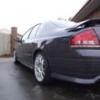
RLQUIK your car is totally horn. I love it :biggrin:

#570

agreed rspec... rlquik is clean and uncluttered I <3 Bananas love it!

Create an account or sign in to comment

Recently Browsing 0

  • No registered users viewing this page.

Account

Navigation

Search

Search

Configure browser push notifications

Chrome (Android)
  1. Tap the lock icon next to the address bar.
  2. Tap Permissions → Notifications.
  3. Adjust your preference.
Chrome (Desktop)
  1. Click the padlock icon in the address bar.
  2. Select Site settings.
  3. Find Notifications and adjust your preference.