Skip to content
View in the app

A better way to browse. Learn more.

Ford XR6 Turbo.com

A full-screen app on your home screen with push notifications, badges and more.

To install this app on iOS and iPadOS
  1. Tap the Share icon in Safari
  2. Scroll the menu and tap Add to Home Screen.
  3. Tap Add in the top-right corner.
To install this app on Android
  1. Tap the 3-dot menu (⋮) in the top-right corner of the browser.
  2. Tap Add to Home screen or Install app.
  3. Confirm by tapping Install.

Street Commodore Blues For Charity
Featured Replies

#1
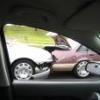
post-31254-1220862422_thumb.jpgpost-31254-1220862048_thumb.jpgI went on the street commodre cruise for charity on the weekend with my mate whos got a sweet VN. And saw a disgrace of a car and a three car pile up Hope you enjoy!

post-31254-1220862206_thumb.jpg

post-31254-1220862322_thumb.jpg

Edited by F6RD

#2

Godda do the brakes on those old commos otherwise they don't stop! Baahahaha

I was wondering why there was an unusual amount of commonwhores around on my way to work over the weekend.

#3

That VN is disgusting. :roflmbo: at the stack. Idiots.

#4

that's my biggest fear when going for a cruise with heaps of cars.... too many distractions and fast or slow speed..

I'd hate to be the car in the middle that copped it from both ends...

#5

A mate of mine went on this cruise and he said he saw at least 3 nose to tails!

#6

Its so common with cruises it seems. Always hear of crap like that. Some people just turn silly being around so many nice cars and forget how to drive I think?

#7

I went on the cruise as well, saw a couple of crashes as well.

someone was saying that 13 cars were crashed/written off? I didnt see the VK hit the 2 VL's and the SS ute... but I did see this VN SS.

post-5771-1220871915_thumb.jpg

#8

I did here the organisers didnt plan the trip well with road works dual lane then into one lane etc. I did do last yrs one (syd) n ran sweet

#9

:freak:

no brakes or no brains

#10

Bleh...need to take a leaf outta the book of MCCR...

Create an account or sign in to comment

Recently Browsing 0

  • No registered users viewing this page.

Account

Navigation

Search

Search

Configure browser push notifications

Chrome (Android)
  1. Tap the lock icon next to the address bar.
  2. Tap Permissions → Notifications.
  3. Adjust your preference.
Chrome (Desktop)
  1. Click the padlock icon in the address bar.
  2. Select Site settings.
  3. Find Notifications and adjust your preference.