Skip to content
View in the app

A better way to browse. Learn more.

Ford XR6 Turbo.com

A full-screen app on your home screen with push notifications, badges and more.

To install this app on iOS and iPadOS
  1. Tap the Share icon in Safari
  2. Scroll the menu and tap Add to Home Screen.
  3. Tap Add in the top-right corner.
To install this app on Android
  1. Tap the 3-dot menu (⋮) in the top-right corner of the browser.
  2. Tap Add to Home screen or Install app.
  3. Confirm by tapping Install.

Shv Fords?

Featured Replies

  • Replies 46
  • Views 5.5k
  • Created
  • Last Reply

Top Posters In This Topic

#12

Well said!

#13
Looks like cars built from off the shelf ricer bits.

I can see why he only made one of each, they are not very unique or attractive.

I agree entirely. Stop pinching thoughts from my head, Zap!

#14

fark, extreme nuggets.

#15
Canyou give us anymore info on SHV?

Sh1t Expensive Daewoo vehicle? :roflmbo:

#16

Sh1t House Vehicles

#17

well those are disappointing.... sheerly horrid vehicles if you do happen to make contact again give him a good :roflmbo:

Edited by onboost

#18
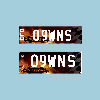
Pictures4365.jpg

I wouldnt wana drive a car with a badge that looks like a coffin :roflmbo:

#19
  • Author

come on guys I do not sit here bagging you cars do I

I ask for help to track down some Fn cars and get crap back from you

maybe this should get closed and I will not bother

I know he only made a few

one is written off cause of a stupid driver he/she survied car did not

you get DH's that buy highperformance cars and stuff them

this guy spent 10 of thousands on these cars/utes

the bolero he spent around $200,000 on it and it sold for $94,000

so all I have asked for is if any one knows

if there are still cars/utes alive or if anyone here has them

not smart arse remarks please

#20

he spent 200g and sold for 94g.....??? no wonder he didn't build many....

Guest
This topic is now closed to further replies.

Recently Browsing 0

  • No registered users viewing this page.

Account

Navigation

Search

Search

Configure browser push notifications

Chrome (Android)
  1. Tap the lock icon next to the address bar.
  2. Tap Permissions → Notifications.
  3. Adjust your preference.
Chrome (Desktop)
  1. Click the padlock icon in the address bar.
  2. Select Site settings.
  3. Find Notifications and adjust your preference.