Skip to content
View in the app

A better way to browse. Learn more.

Ford XR6 Turbo.com

A full-screen app on your home screen with push notifications, badges and more.

To install this app on iOS and iPadOS
  1. Tap the Share icon in Safari
  2. Scroll the menu and tap Add to Home Screen.
  3. Tap Add in the top-right corner.
To install this app on Android
  1. Tap the 3-dot menu (⋮) in the top-right corner of the browser.
  2. Tap Add to Home screen or Install app.
  3. Confirm by tapping Install.

My Phantom Xrt

Featured Replies

#1

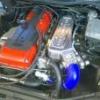
My new toy!! All work done by autotech, 382RWKW!!!

post-15536-1212559089_thumb.jpg

post-15536-1212559199_thumb.jpg

post-15536-1212559266_thumb.jpg

post-15536-1212559377_thumb.jpg

#2

Nice mate, looks the business :spoton: Did you get the work done yourself or buy it as is?

Edited by XRTPSI

#3
  • Author

Just bought it as is mate. Just gotta get rubber on it and learn how to steer with the right pedal!!!

#4

hehehehe.. sounds like fun... looks great

#5

Bonus with the AP's... Looks like its been done well.

Well done!

#6

congrats champ, looks the biz

#7

THE BRAKES, THE BAY, THE BONNET, THE POWER AND LAST BUT NOT LEAST THE COULOR. If my car ends up near this standard one day I would be one proud owner!!!!!!!!!!! TOP EFFORT

#8

Geeseman's old car......

Hope you enjoy it!

#9
Geeseman's old car......

Hope you enjoy it!

I thought it was Geesemans car, what happened to the Modenas?

#10

Prolly went on the new Arse-Pec

Create an account or sign in to comment

Recently Browsing 0

  • No registered users viewing this page.

Account

Navigation

Search

Search

Configure browser push notifications

Chrome (Android)
  1. Tap the lock icon next to the address bar.
  2. Tap Permissions → Notifications.
  3. Adjust your preference.
Chrome (Desktop)
  1. Click the padlock icon in the address bar.
  2. Select Site settings.
  3. Find Notifications and adjust your preference.