Skip to content
View in the app

A better way to browse. Learn more.

Ford XR6 Turbo.com

A full-screen app on your home screen with push notifications, badges and more.

To install this app on iOS and iPadOS
  1. Tap the Share icon in Safari
  2. Scroll the menu and tap Add to Home Screen.
  3. Tap Add in the top-right corner.
To install this app on Android
  1. Tap the 3-dot menu (⋮) in the top-right corner of the browser.
  2. Tap Add to Home screen or Install app.
  3. Confirm by tapping Install.

Long Time Reader.........first Time Poster!
Featured Replies

#1

Hi guys,

been floating around for some time now, here and ford forums, so thought I should say hi! so Hi!

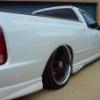
I currently own a 2005 XR6T 6 speed ute, which used to be my workhorse, but is now my "quoting" and "pick up of deliveries" vehicle. No mods as of yet, hopefully C & V recieved my Pm for a flash, which will get me started.

Here's an old pic, I now have some 20" black dished lenso's but other than that its the same. I will pulling off the canopy, and drawers soon and selling them..............(if anyones interested???)

Not sure how far I will go with mods yet, will def get it slammed as low as I can, maybe try and get close to the 300kw mark but will see how goes.

Anyways, look forward to making a few more posts, and contirbuting to this great little community.

Cheers

Sean

post-9157-1199403113_thumb.jpg

#2

looks pretty sweet mate - :buttrock:

don't worry, as soon as you get the tune, you'll be back for more!

#3

:buttrock:

ute looks great!!

welcome to the nuthouse

Edited by Superdan

#4

I think the victorian number plate gives away his location dan, which is what you asked before you edited the post - dammit...

Edited by senna_T

#5

give what away pat???

:buttrock:

#6

no idea...

#7

:buttrock: Nice "Work horse" Mate, black rims on white will look tops, bit of a trek to C&V

I think the victorian number plate gives it away dan....

Yeah ShiftyDan :buttrock:

Edited by XRTPSI

#8
I'm a postwhore

:buttrock:

#9
:buttrock:

:buttrock:

Welcome & very creative name, I like it!!

#10

Fair call Dan

Welcome Sean :buttrock:

Create an account or sign in to comment

Recently Browsing 0

  • No registered users viewing this page.

Account

Navigation

Search

Search

Configure browser push notifications

Chrome (Android)
  1. Tap the lock icon next to the address bar.
  2. Tap Permissions → Notifications.
  3. Adjust your preference.
Chrome (Desktop)
  1. Click the padlock icon in the address bar.
  2. Select Site settings.
  3. Find Notifications and adjust your preference.