Skip to content
View in the app

A better way to browse. Learn more.

Ford XR6 Turbo.com

A full-screen app on your home screen with push notifications, badges and more.

To install this app on iOS and iPadOS
  1. Tap the Share icon in Safari
  2. Scroll the menu and tap Add to Home Screen.
  3. Tap Add in the top-right corner.
To install this app on Android
  1. Tap the 3-dot menu (⋮) in the top-right corner of the browser.
  2. Tap Add to Home screen or Install app.
  3. Confirm by tapping Install.

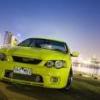
Fordxr6turbo Grand Prix Photo Shoot.
Featured Replies

  • Replies 91
  • Views 9.8k
  • Created
  • Last Reply

Top Posters In This Topic

Posted Images

#22

:sleepystuff::blink:

+1 for this little black duck

Edited by Flukey

#24
Dam, Dam Dam, some   :sleepystuff:  head hit my car last week so I dont think it will be repaired by then  :gooff:   :gooff:   :gooff:

This sucks  :w00t2:

Bugger man, your xr was one of the best looking ones that was going around! That has to suck, hope all comes well mate.

Rob... :blink:

Thanks rob, but with your new bonnet you have taken that title :msm: , the damage isnt bad just a big scuff mark and a minor dint on the back door and the leg before the wheel arch.

Ill try and make it even if its not 100%.

#25
Dont see your name in the list.... :sleepystuff:

that's because I will probably pull out at the last minute :blink:

#26
  • Author

Great numbers up so far when the thread is only couple days old, keep it up guys!

Rob...

#28

Is the photo shoot just a line up shot? if so I can come as my damage is at the back of the car so you wont see it.

#29
Is the photo shoot just a line up shot? if so I can come as my damage is at the back of the car so you wont see it.

haha there nothing photoshop cant fixs ahhaha :censored:

#30

Definately IN

Do I need to tell you what color my car is? :censored:

Edited by Flukey

Guest
This topic is now closed to further replies.

Recently Browsing 0

  • No registered users viewing this page.

Account

Navigation

Search

Search

Configure browser push notifications

Chrome (Android)
  1. Tap the lock icon next to the address bar.
  2. Tap Permissions → Notifications.
  3. Adjust your preference.
Chrome (Desktop)
  1. Click the padlock icon in the address bar.
  2. Select Site settings.
  3. Find Notifications and adjust your preference.