Skip to content
View in the app

A better way to browse. Learn more.

Ford XR6 Turbo.com

A full-screen app on your home screen with push notifications, badges and more.

To install this app on iOS and iPadOS
  1. Tap the Share icon in Safari
  2. Scroll the menu and tap Add to Home Screen.
  3. Tap Add in the top-right corner.
To install this app on Android
  1. Tap the 3-dot menu (⋮) in the top-right corner of the browser.
  2. Tap Add to Home screen or Install app.
  3. Confirm by tapping Install.

Macka's Shaker

Featured Replies

#1

Hi guy's :spoton:

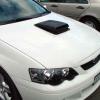
The PRECIOUS has gone under the knife today. I could'nt wait for the finished result before I posted some pics.

I'll wait with baited breath for your veiws. I have had the scoop sitting there and I maust say as BIG KEV would

"I'M EXCITED" :w00t2:

Let me know what you think so far.

macka

post-34-1092126300.jpg

  • Replies 319
  • Views 24.1k
  • Created
  • Last Reply

Top Posters In This Topic

Posted Images

#2
  • Author

Her's another

post-34-1092126379.jpg

#3
  • Author

Another

post-34-1092126498.jpg

#4
  • Author

Another

post-34-1092126577.jpg

#5

:spoton: .......You're not giving us a lot to go on there Macka!!

Mark.

..........oooppps, I was a bit eager sorry Macka

Edited by CHIPS

#6
  • Author

Another

post-34-1092126664.jpg

#7
  • Author

Last one for the moment.

Sh*t I wish I knew ow to post all the pics on the one post

Help would be appreciated.

macka

post-34-1092126787.jpg

#8
Last one for the moment.

Sh*t I wish I knew ow to post all the pics on the one post

Help would be appreciated.

macka

You cant...

Unless you upload them to the web (I.e. your personal webspace) and provide a link to them.

Whats the point of this cut out? Or are there more pics to follow which will show? :)

#9

macka! nice car, but some bas*ard's cut a hole in your bonnet! :spoton:

#10

so is the shaker scoop just going to be there for looks? or will it have a modicication for an air intake or somthing possibly?

Create an account or sign in to comment

Recently Browsing 0

  • No registered users viewing this page.

Account

Navigation

Search

Search

Configure browser push notifications

Chrome (Android)
  1. Tap the lock icon next to the address bar.
  2. Tap Permissions → Notifications.
  3. Adjust your preference.
Chrome (Desktop)
  1. Click the padlock icon in the address bar.
  2. Select Site settings.
  3. Find Notifications and adjust your preference.