September 7, 200422 yr #21 Geea, I am on my way over now with all the Ricer gear you requested. I have all the stickers, lights and George has given me some sik body kit add ons. Not forgetting the blue neon's I will pick up on my way over.......See ya soon..............
September 7, 200422 yr #22 Jeff,Does this mean that you will running the Mitsubishi van at WSID from now on ?Come to think of it I did see a Van out the front of Spiro`s the other day...........Geea, I hope you enjoy Black Betty.CheersPSI
September 8, 200422 yr #23 Good to hear its going to a good home!Jeff, dont buy a new toy, go to the casino and put the lot on black..... :lol: :lol: That's not appropriate advise from a moderator, go Red.LOLScotty
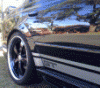
September 8, 200422 yr #26 No black stripes for this baby :lol: thank christ...Silver?well that's another story vik NOOOOOOO!!!!! PLEEEEEEASE NO! That car is a thing of beauty, please, no stripes.
September 8, 200422 yr #27 NOOOOOOO!!!!! PLEEEEEEASE NO! That car is a thing of beauty, please, no stripes. & stick the grinder into that bonnet.Scotty
September 8, 200422 yr #28 I heard Craig was looking into pink stripes with KITTENS written all over the bonnet :lol: Hmm pussys
September 8, 200422 yr #29 Dont tell me Geea's gunna be driving an APS equiped car........ Dont tell me Geea the chiptorque protagonist is gunna be driving an APS equiped car........
September 8, 200422 yr #30 I always saw GEEA as a straight up honest kind of guy on these forums... I don't believe he ever bagged the APS product... he just wanted to do things his own way


Create an account or sign in to comment