Skip to content
View in the app

A better way to browse. Learn more.

Ford XR6 Turbo.com

A full-screen app on your home screen with push notifications, badges and more.

To install this app on iOS and iPadOS
  1. Tap the Share icon in Safari
  2. Scroll the menu and tap Add to Home Screen.
  3. Tap Add in the top-right corner.
To install this app on Android
  1. Tap the 3-dot menu (⋮) in the top-right corner of the browser.
  2. Tap Add to Home screen or Install app.
  3. Confirm by tapping Install.

Lunch

Member
  • Joined

  • Last visited

  1. I am definitely no expert but I'm pretty handy with a tape measure and I'm not too bad at maths and I got +32
  2. Honestly mate, I have no idea. I'll work it out tomorrow
  3. Lunch changed their profile photo
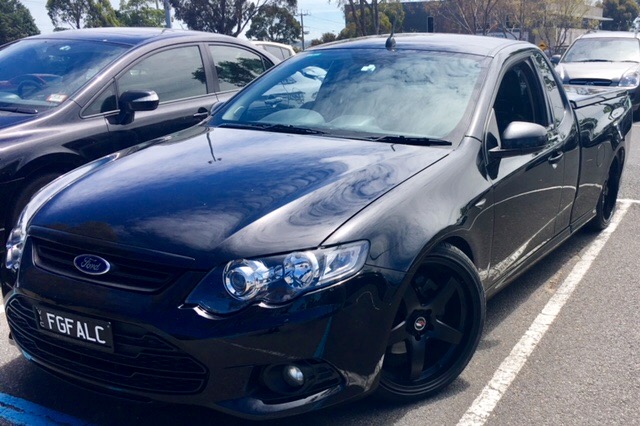
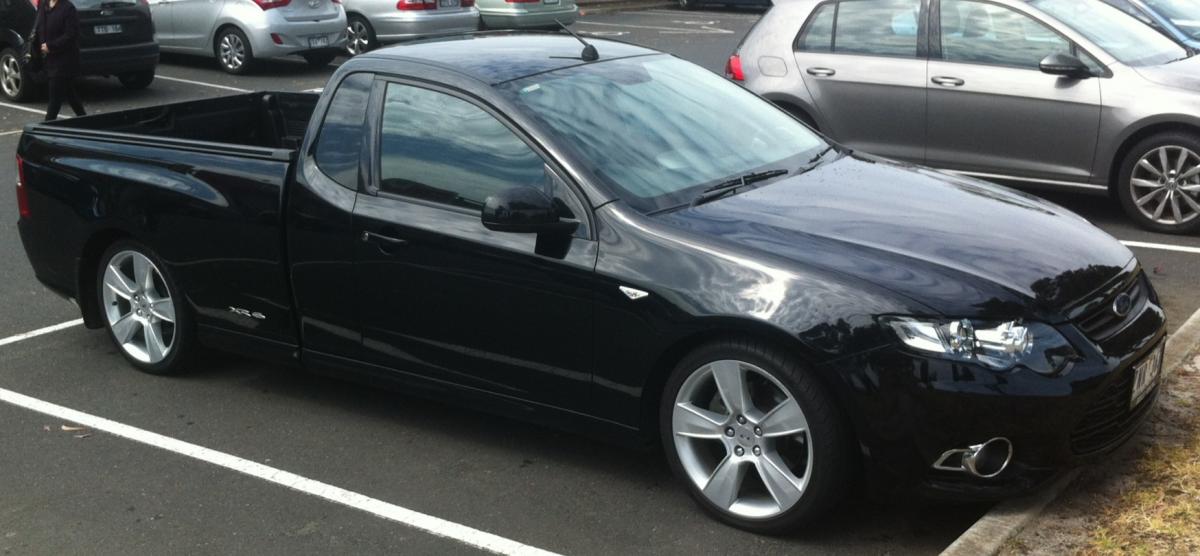
  4. Not sure if this helps 275/30/20 on lenso d1r 20x10, lowered on pedders sports ryders and a few tools, non rolled, 16 mm clearance Think it more depends on the offset but I don't really know much..
  5. 2013 xr6 with a hair drier Sorry for the size, quality etc, noobish
  6. I realise I may b a little optimistic hoping for some answers on this subject so long after this thread died but I was curious as to whether the mud flaps were removed b4 taking it back to ford?

Account

Navigation

Search

Search

Configure browser push notifications

Chrome (Android)
  1. Tap the lock icon next to the address bar.
  2. Tap Permissions → Notifications.
  3. Adjust your preference.
Chrome (Desktop)
  1. Click the padlock icon in the address bar.
  2. Select Site settings.
  3. Find Notifications and adjust your preference.