


BUL11E
Member
-
Joined
-
Last visited
-
I have had 2 daihatsu charades, 1 daihatsu sirion gtvi, my beloved XR6 turbo and a daihatsu feroza. Looks like I have a thing for daihatsu's lol
-
Your mumma is so old she farts dust
-
I fitted a phoon cooler on mine a few months before a tune and I had no problems with overboosting. Have the cooler fitted before you do a custom tune, cause the phoon one is bigger than the standard. hope this helps
-
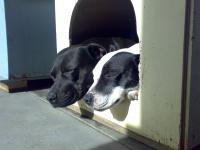
Here we have my two dogs relaxing before they start chasing each other and play fighting. The black one is a male "American staffy" who goes by the name of Mecho. The white one is my princess a female English Staffy called nikki, she loves people to death and will lick your face or feet ant any chance she gets.


-
great result there mate, extremly fun to drive I bet, you will enjoy it more with the other goodies on the car.
-
was about to pop out
-
BA mk 1 2004 model, 2005 delivery, bought it brand spanker, I had to wait 3 weeks for the car to come from Qld as there was no mandarin color anywhere in Nsw.to imagine jessica alba into your left and yourI replaced my stocker with a phoon cooler and there was no difference that I noticed, ie no overboost.BP ultimate for me mate, and if I cant get my hands on that I go for vortex 98No! boot is the new


