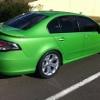
14/08/13 10:46 AM14/08/13 10:46 AM #1 Hi guys. Just did a 12.595 @ 109.64 mph in my stock as a rock fg turbo (Sans spare wheel and jack etc) Wanted to push this car to its limits before any mods. I'm pretty happy with it. Now will start adding my mods slowly until I'm running a ten something
14/08/13 11:15 AM14/08/13 11:15 AM #3 Author Just the usual freaky. Tune injectors exhaust fuel system etc. gonna see how far I can go with an f6 turbo charger though
15/08/13 01:50 AM15/08/13 01:50 AM #4 Very impressive !!Without opening a can of worms.. is that some sort of record for a stock FG ?Sorry bout the font.. wont let me change it....
15/08/13 02:14 AM15/08/13 02:14 AM #5 Nice work very impressive.I would this yeah that's now the stock XR FG record.FG F6 sits at 12.3
15/08/13 03:20 AM15/08/13 03:20 AM #6 Author thanks Veva and jimmiSeaton had the record before at 12.65 @ 113 which I was chasingI might go out again next week,, as I was down 1mph on that last run...might go a little better...
15/08/13 03:55 AM15/08/13 03:55 AM #7 You will drop mph if you et better. I'll be out there next week.
15/08/13 04:05 AM15/08/13 04:05 AM #8 Author You will drop mph if you et better. I'll be out there next week.prob see ya out there !!! extra 15mph would be nice
15/08/13 05:23 AM15/08/13 05:23 AM #9 Perfect weather for it..sunny day.. good track temp.. with cooler nite airPerfect !!!
15/08/13 08:42 AM15/08/13 08:42 AM #10 Bastard! haha. good work mate! these cars are very fast stock,Yep you took .1s off my 60ft time. Guess ill have to be happy with highest mph? hahaha Edited 15/08/13 08:44 AM15/08/13 08:44 AM by Seaton


Create an account or sign in to comment